| Assets - [Local ID] Details | |
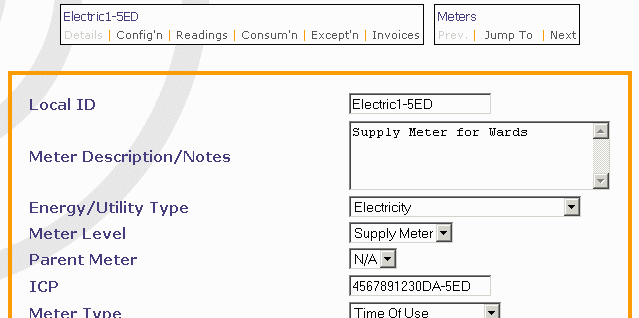 Most of the information here is self-evident and includes some general information regarding the meter. The ICP number relates only to reticulated gas and electricity. If the meter is closed or uninstalled, or for some reason will no longer have information coming into e-Bench, tick the Close Meter button. On then clicking the Save Changes link, boxes appear for the Close Date to be entered. The last two entries, Metering Company and Metering Identifier, as the heading above them suggests, only require completion when you intend to have the consumption data automatically loaded into the system. Names of companies known to offer this service will be included in the drop-down menu (there is actually only one at present) and the Identifier details will need to be obtained from the Metering Company. At the top of the screen the Useful Shortcuts provide quick access to other screens for the same Meter, or to different Meters, if any, by using the Previous and Next links to allow scrolling between them. See Appendix D for definitions of each information field. | |